
 Design
 App Development
 Web Engineering
 AI Services
 Cloud
Cloud Staffing
 Startups
 Health / Fitness
 Education
 Social
 Nonprofit
 Fintech
 Construction
 Logistics
 Government
 Travel/Hospitality
 HR Software
 About Simpalm
 Our News
 Client Testimonials
 Careers
 Our Blog
 Awards
 Resources
 Information
Wayplace: A Digital Platform for Survivors of Human Trafficking
The Client.
Atlas Free is a nonprofit organization that works to fight human trafficking and exploitation. Atlas Free works directly with organizations that provide services to support survivors of human trafficking and exploitation, and they work to uplift and support these organizations to improve their outreach to survivors.
The Challenge.
The client was looking for a new way to help connect the organizations in their network with the survivors that are seeking help. Several of these organizations provide services of various types that help survivors, but these organizations did not have a way to effectively promote these services to the masses in a confidential and secure manner. Atlas Free saw that these organizations needed a better way to connect with survivors, and that the survivors themselves needed a better way to discover what services were even available to them locally.
The Solution.
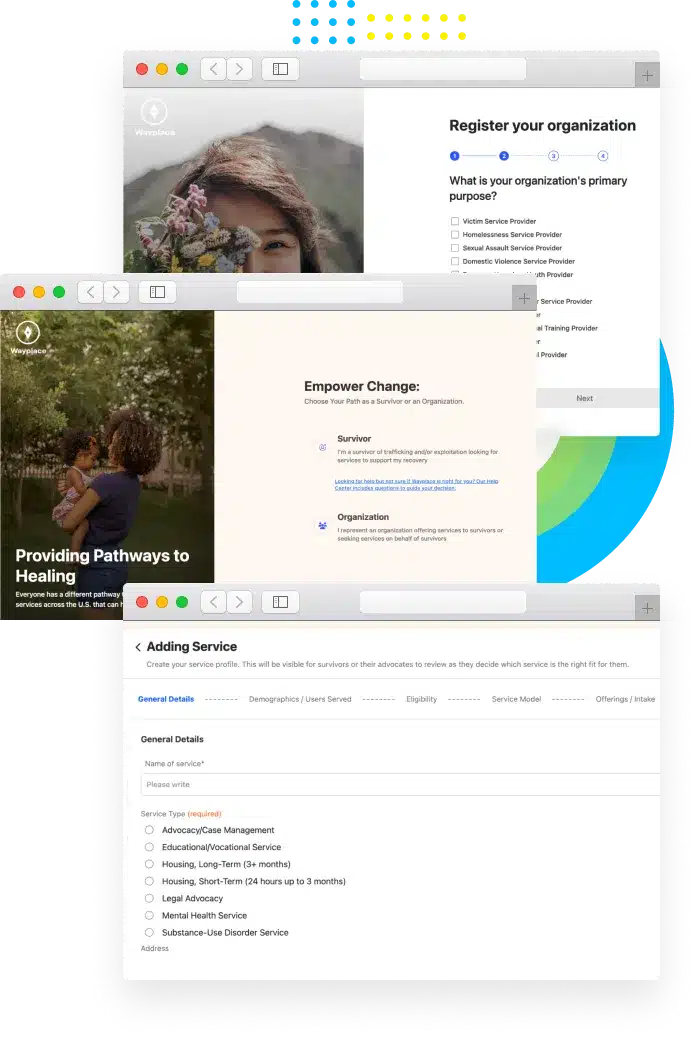
We developed Wayplace, a web application that helps bridge the gap of discoverability between service providers and survivors. The web app contains separate portals for organizations and survivors: organizations can use the app to add details about the services they provide, and survivors can use the app to search among the list of available services and find the perfect match for their needs. When a survivor submits a service request, the organization is notified and can manage the service request directly within the app. With a proper match, the survivors are provided with information on how to contact the organization and access the service.
We also developed a super admin portal for the client to access, where they can oversee and manage the users of the app. In this way the client is able to moderate the platform and ensure that only authorized organizations can promote services in the application. The super admin platform also provides analytics that help the client to better understand how the app is being used by organizations and survivors.
The Impact.
The organizations that support survivors of human trafficking and exploitation now have a new and improved way to promote their services directly to those that are seeking help. And the survivors themselves can now more easily discover and discreetly connect with these service organizations.
Tech Stack
 React JS
 AWS
AWS
 Google SMTP
 Nodejs
 Typescript
 Mysql
Mysql
Organization Features.
Registration.
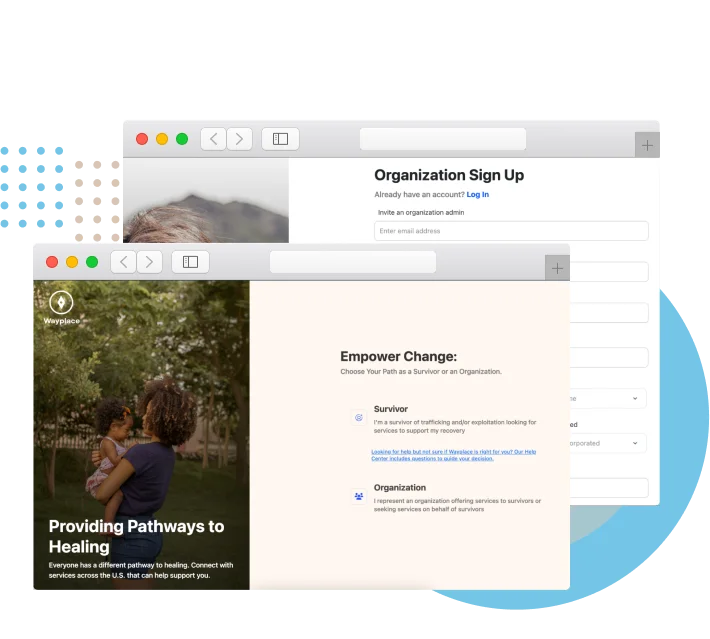
 Register an organization by providing valid documentation
- Select the area of focus and primary purpose for the organization
- Register an Org Admin to manage the profile
 Register an organization by providing valid documentation
Service Management.
- Create and edit services that the organization offers which survivors can discover
- Add details about the service structure and what the service offers survivors
- Add details about user demographics the service is equipped to support
- Manage the service settings for service availability and email preferences
Service Request Management.
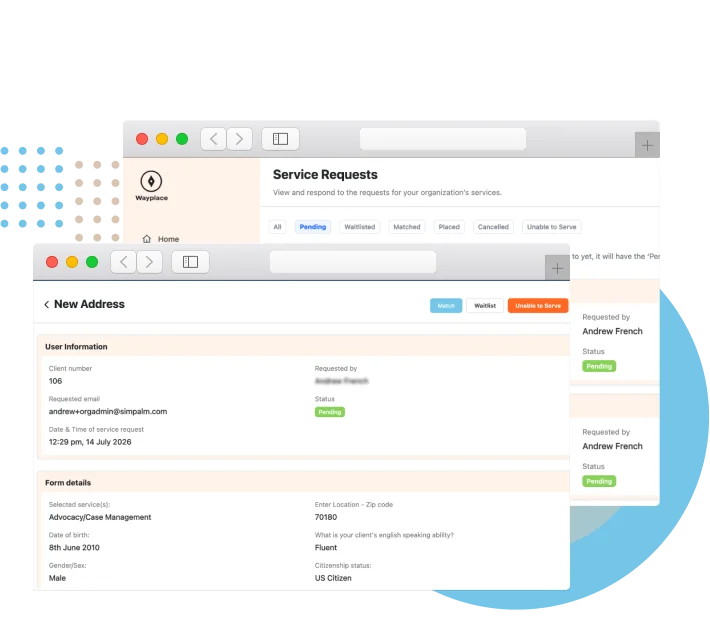
- View requests submitted by survivors seeking access to a service
- Filter the view by the status of the service request
- View details about the survivor who submitted the request
- Update the service request to keep the survivor informed of the request status
User Management.
- Invite additional users to access the portal for the organization
- Users have different roles that determine the level of access
- Assign a service manager to manage specific services
- Assign an advocate to fill out service requests on behalf of survivors
Client Advocacy.
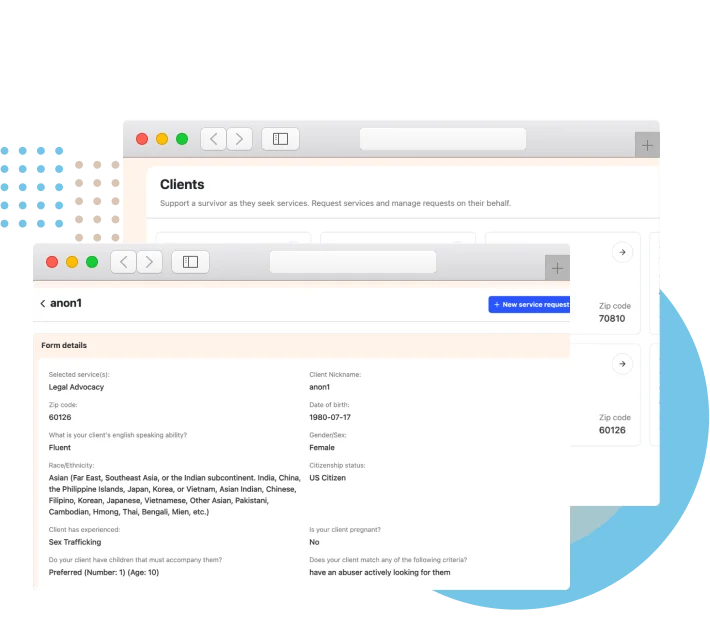
- Add a new client to submit service request forms on behalf of a survivor
- Fill out the service request form with details on the survivor’s needs
- Maintain survivor anonymity with use of a nickname and pre-assigned case number
- Search for services and submit service requests on behalf of the survivor
- View the history and status of submitted service requests
Survivor Features.
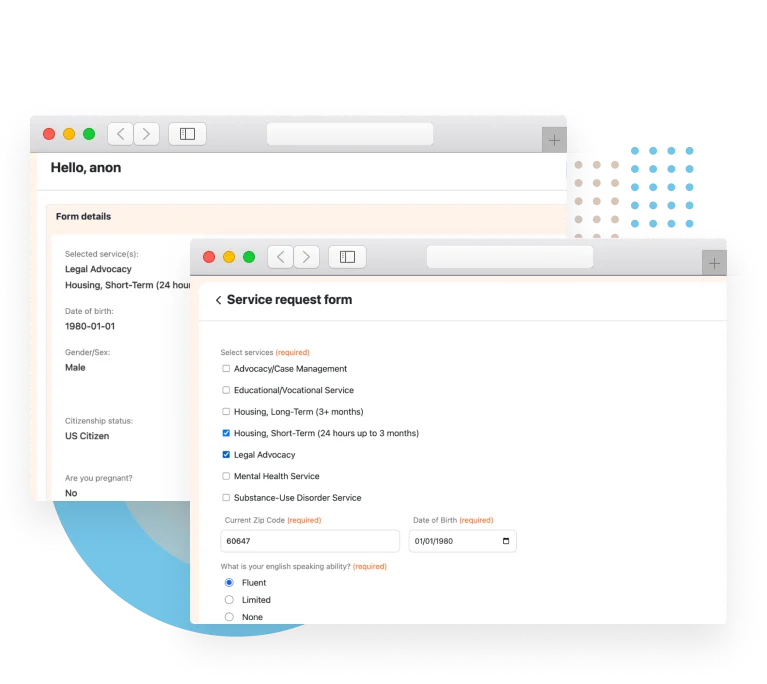
Registration & Profile.
- Create an account to search for and manage service requests
- Fill out a service request form with information detailing your needs
- Edit the service request form to keep information up-to-date
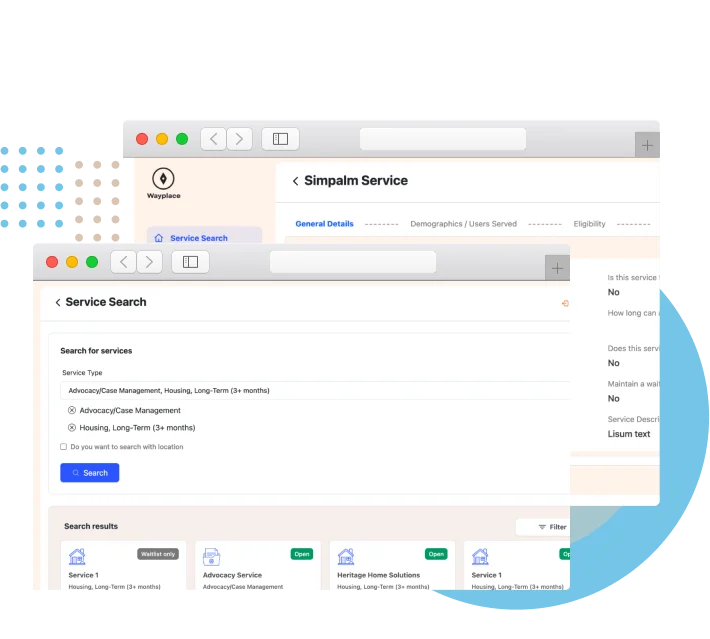
Service Search.
- Search for services by type that are offered by organizations within the network
- Add state, city, or zip code to narrow the search to a specific area
- Filter the search based on several parameters to see more refined search results
- See the availability status of services, if they are Open, Waitlist Only, or Full
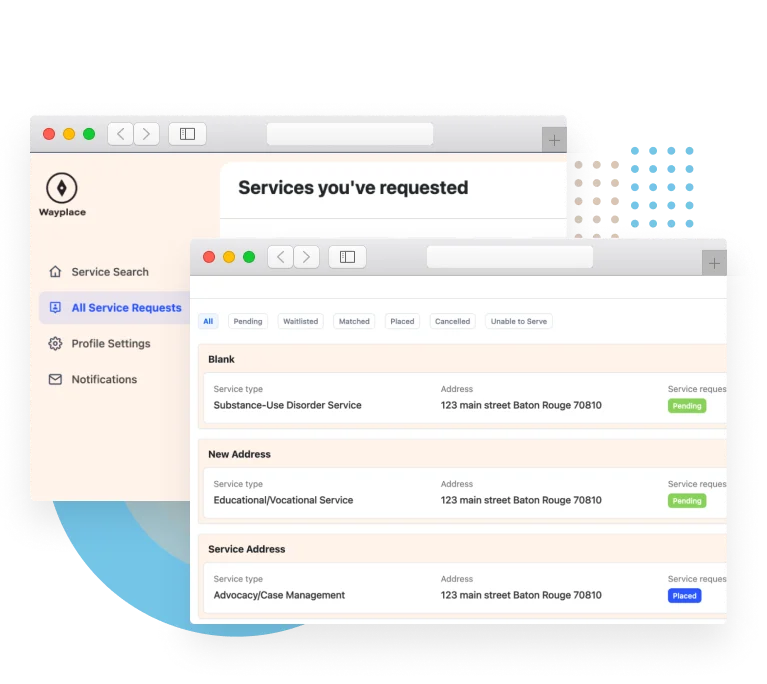
Service Requests.
- Select a service from the search results to view additional details about the service
- Send a service request for a service that fits your needs
- View the history of service requests and track the current status of each request
Profile Settings.
- Manage basic profile information and settings tailored to survivor needs
- Set a Safe Exit URL that when clicked navigates away from Wayplace
- Turn off emails to stop receiving email updates on the statuses of service requests
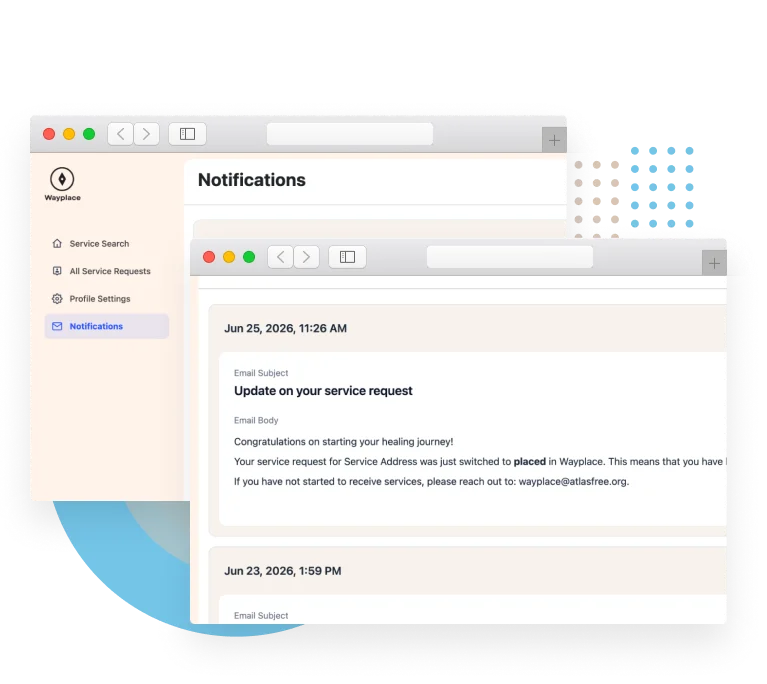
Notifications.
- View the notification log for status updates regarding the service requests
- Access service request notifications even when email settings are disabled
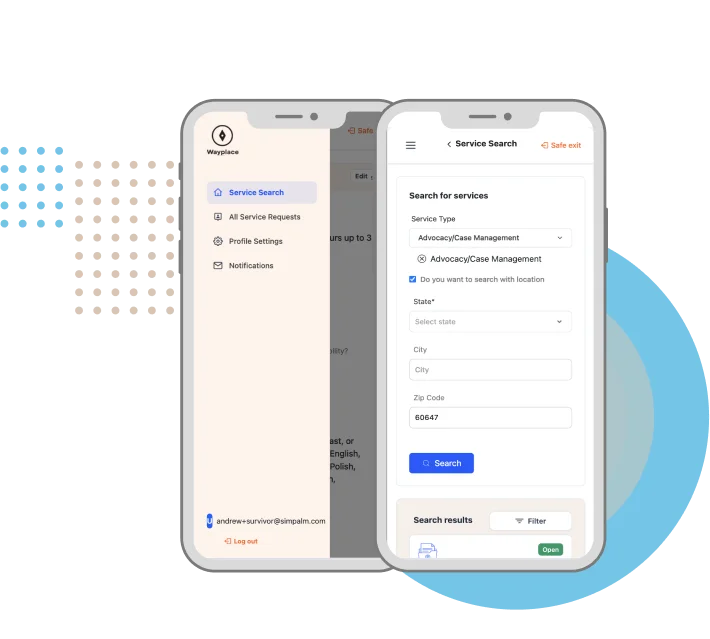
Mobile Responsiveness.
- Mobile responsive design ensures ease of access on all mobile devices
- Easily access all features of the app from any device
Super Admin Feature.
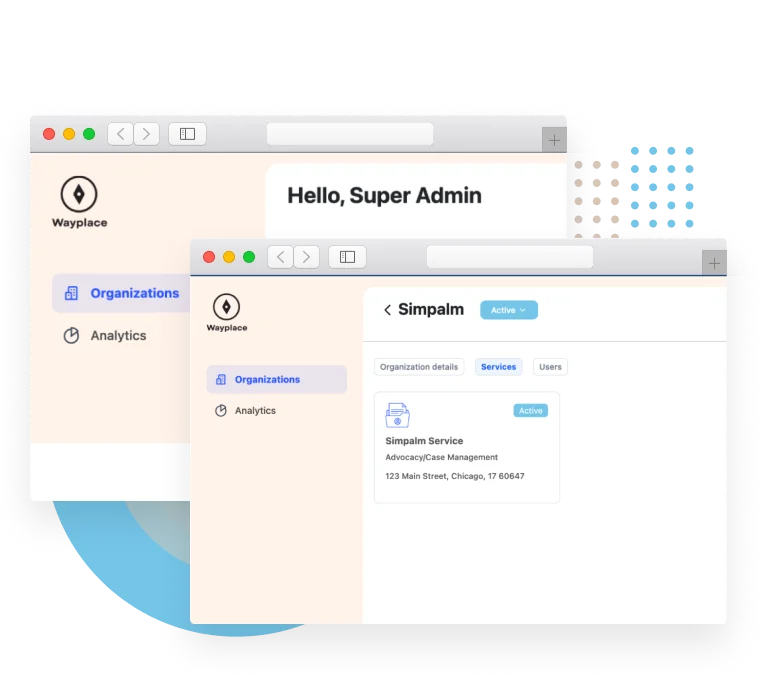
User Management.
- View lists of all Active, Inactive, and Pending organizations
- Search through the list of organizations by keyword search
- Filter the list of organizations by the state from the organization address
- View details of an organization and activate pending organizations
- Remove organizations from the platform by marking them as Inactive

Organization View.
- Enter Organization View to see what the organization admin sees
- Assist the organization admin with troubleshooting and profile management

Analytics.
- View analytics related app engagement, organizations, and survivor demographics
- Select a date range to view analytics from within the specified parameters

