
 Design
 App Development
 Web Engineering
 AI Services
 Cloud
Cloud Staffing
 Startups
 Health / Fitness
 Education
 Social
 Nonprofit
 Fintech
 Construction
 Logistics
 Government
 Travel/Hospitality
 HR Software
 About Simpalm
 Our News
 Client Testimonials
 Careers
 Our Blog
 Awards
 Resources
 Information
Naimun
The Client.
The North American Invitational Model United Nations (NAIMUN) is a UN simulation for high school students organized by student volunteers from Georgetown University. It hosts a four-day convention for 3,000+ attendees, who take on the role of delegates from UN countries. During their time at NAIMUN, delegates participate in over 42 committees covering a range of global dilemmas.
The Challenge.
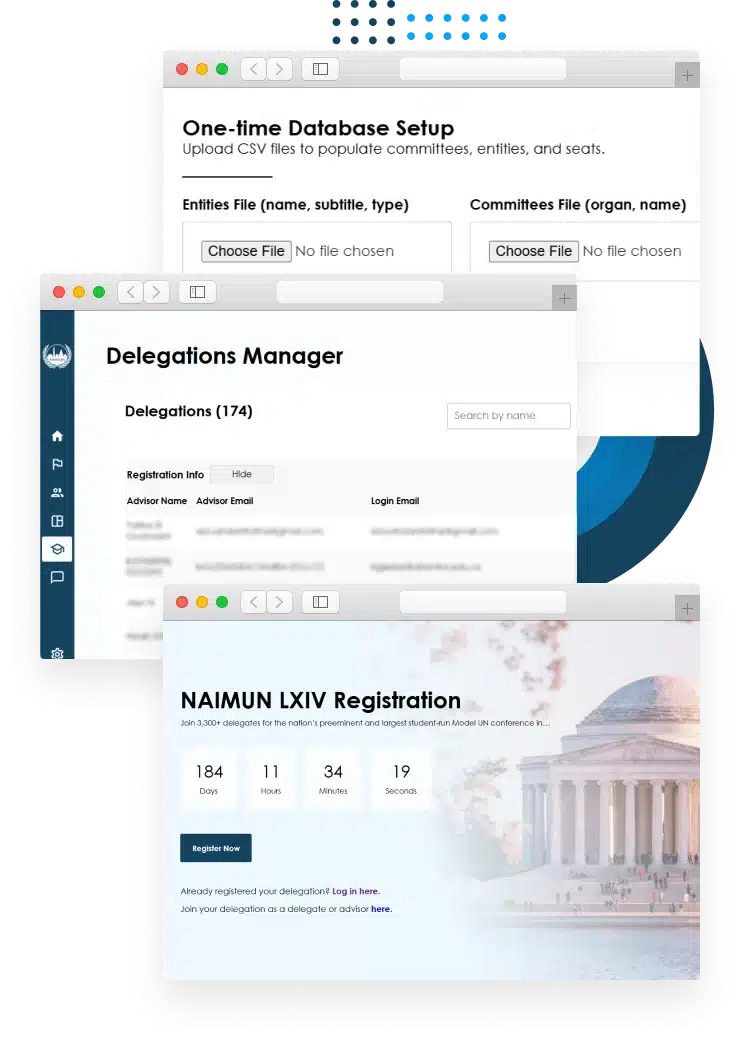
As part of organizing a UN simulation, NAIMUN must handle registration for thousands of attendees. Each attendee must be associated with a delegation for their school and its assigned country, as well as the committees that they will be participating in.
The web application that NAIMUN used for this purpose was in need of support and maintenance. Several key features were nonfunctional, including password resets, user settings, and the admin interface for importing committee data into the web app.
NAIMUN was also interested in some new features, such as the ability to replace text that changed from year to year without manually editing the application’s source code.
The Solution.
The solution which most closely matched the client’s needs was repairing and expanding the functionality of the existing web app. This would allow NAIMUN to continue using their existing system, while enabling that system to accommodate their organizational needs.
Updates to the web app resolved the problems that the client had encountered with loading committee information into the admin UI and assigning seats. The settings page and reset password process were fixed. The admin panel was expanded, with new options to edit user account information, modify text throughout the UI, and set a countdown timer to NAIMUN’s next event.
Since the web app was previously hosted out of a private account in Vercel, Simpalm also set up a new production environment in a hosting account under NAIMUN’s ownership.
The Impact.
NAIMUN team reduced their time by 50% for addressing basic customer issues such as forgotten login information.
It is now possible for non-technical users to configure the database and UI for upcoming events. It has reduced the dependency on developers to make changes in the database.
Tech Stack
 Next JS
 Typescript
 Supabase
 Stripe
 Resend
Web App Features.
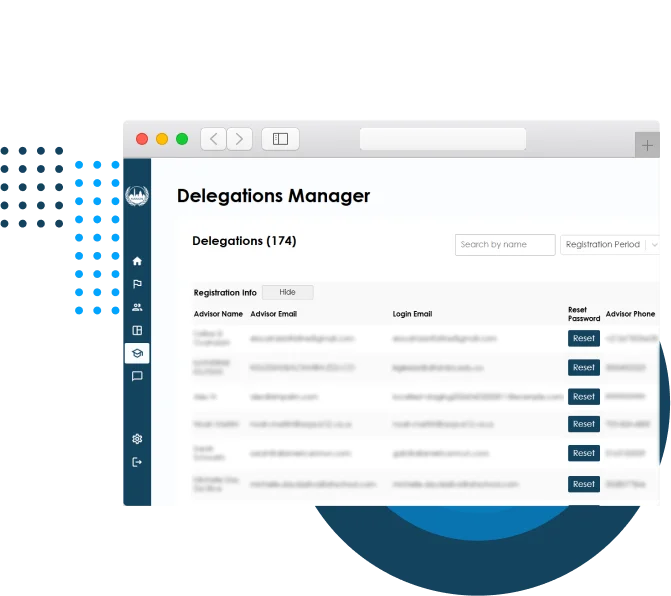
View and edit user account information.
 The admin can view email addresses and other important information associated with user accounts.
- Each account corresponds to the delegation sent by a particular high school.
- The admin can manually reset passwords in cases where institutional firewalls or email filters prevent schools from doing so themselves.
 The admin can view email addresses and other important information associated with user accounts.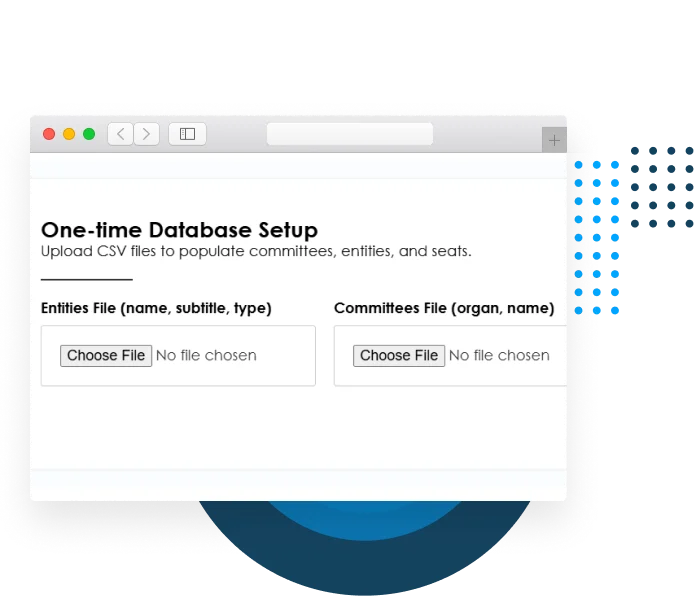
Import committee information.
- The admin can import information into the web app’s database from CSV files.
- This includes the committees which will be included in the conference, the UN organs they are associated with, the affiliations of the delegates who will sit on each committee, and the list of countries and individuals participating in the UN.
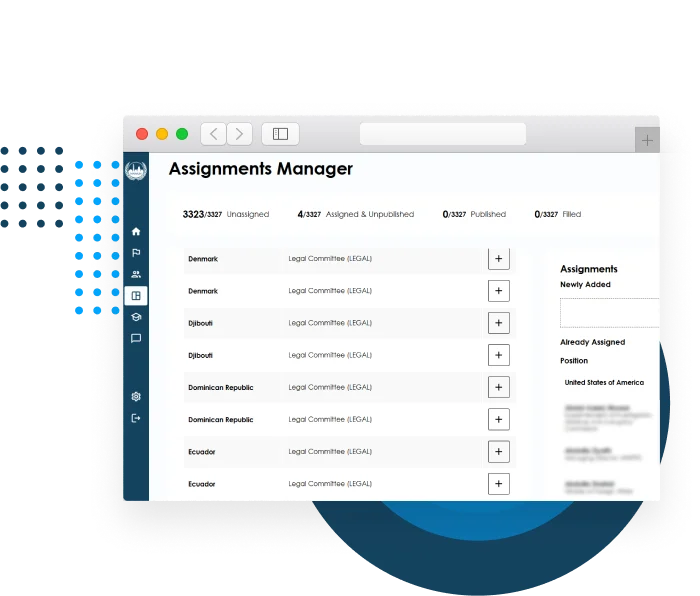
Assignments manager.
- The admin can view all seats, including the country and committee they are associated with.
- The admin can manually select a delegation and add committee seats.
- The admin can see how many seats have been assigned.
- Changes can be made provisionally and then published to the database.
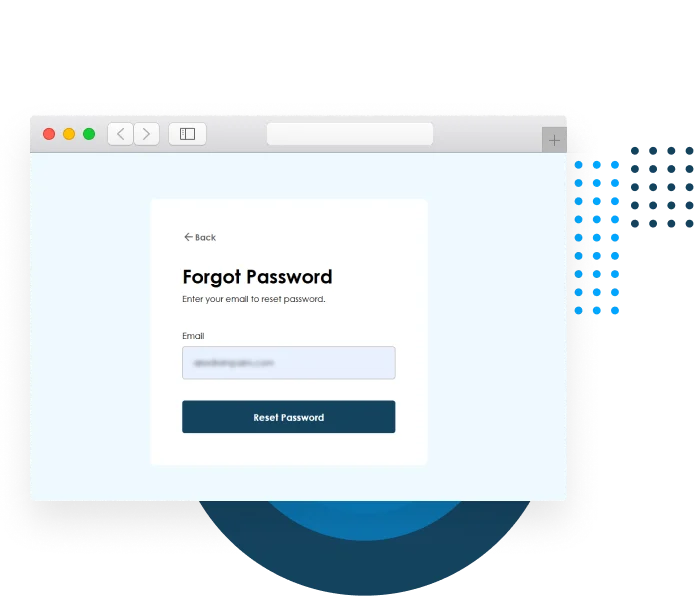
Reset password flow.
- Users can enter their email address to receive a password reset link.
- Users can use these links to create a new password.
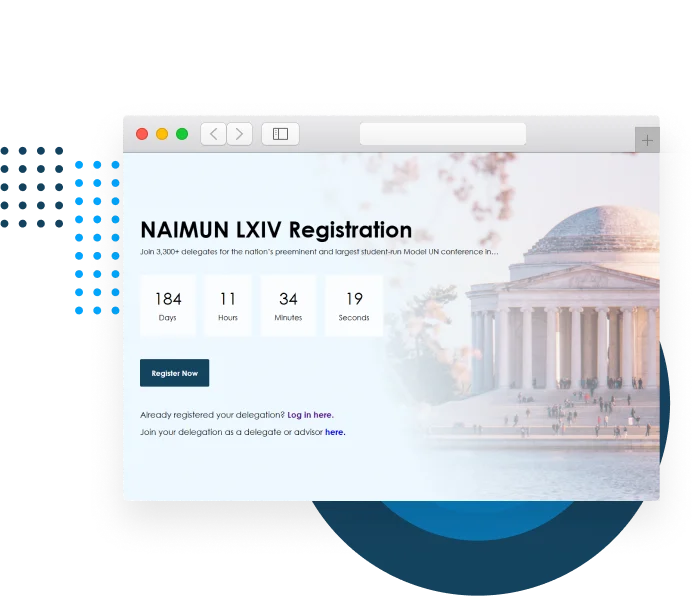
Set countdown timer and event name from the admin UI.
- Admin can set the date and time of the next NAIMUN conference.
- On the web app’s landing page, users will see a timer counting down to the event.
- Admin can change the roman numeral in the conference title, and this change will be reflected throughout the application.

